BLOG
HOW FACIAL RECOGNITION WORKS — FOR THE NON-TECHNICAL
A Jargon-Free Guide to Understanding the Technology Behind Modern Face Recognition
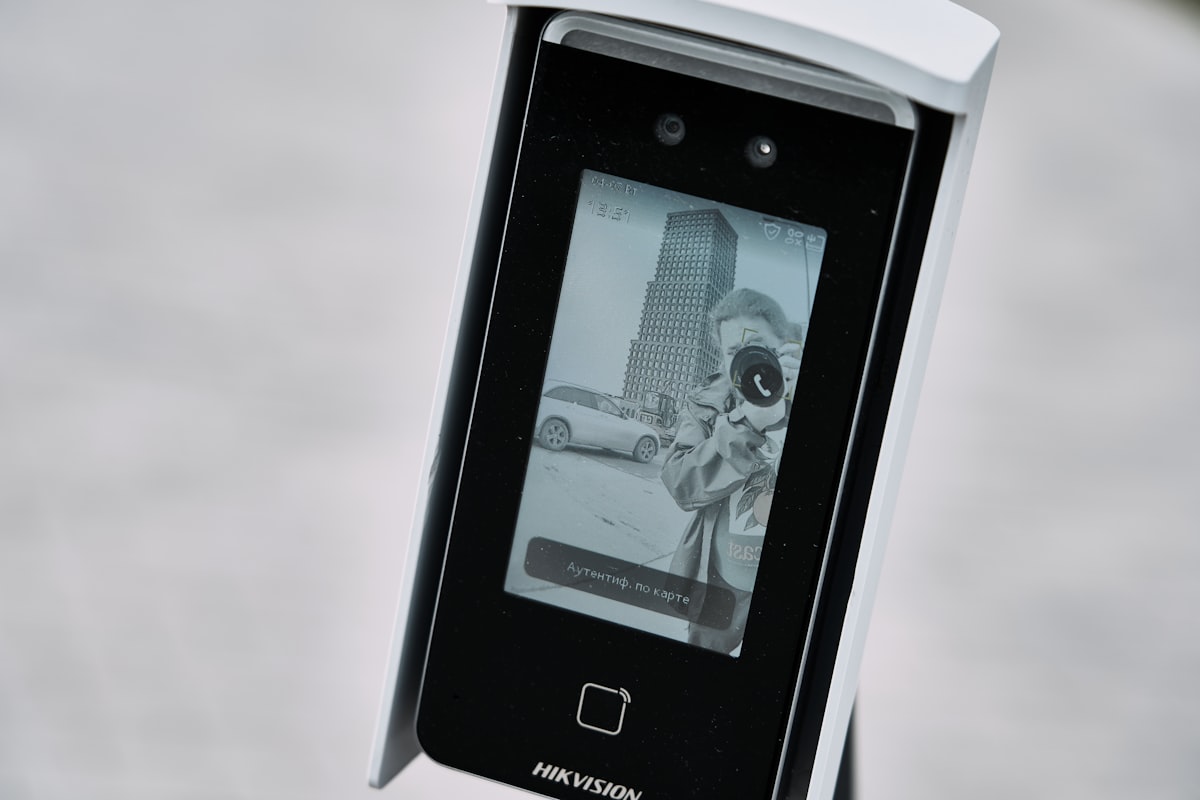
A Jargon-Free Guide to Understanding the Technology Behind Modern Face Recognition
Facial recognition seems mysterious if you've never looked closely at how it works. You might imagine it's some kind of magic—but it's not. It's a logical, step-by-step process that follows a straightforward idea: measure a face, compare it to others, and find a match. This article breaks down that process into simple terms. By the end, you'll understand how facial recognition works and why it's becoming such a powerful tool for security and safety.
Every facial recognition system begins with a camera. The camera captures an image or video frame. It could be someone walking past a security camera, or a still photo taken for identification. Once you have that image, the system does something quite simple: it looks for faces in it. The same way you can spot a face in a crowd by looking for the pattern of two eyes, a nose, and a mouth, facial recognition software does the same thing. It scans the image, finds where the faces are located, and marks them. This first step is purely about detection—finding faces in an image, nothing more.
Once a face is found, the system gets to work measuring it. Think of it like plotting dots on a map. The system identifies key points on the face: where your eyes are, how far apart they sit, the width of your nose, the shape of your jawline, the distance from your nose to your mouth. These measurements are unique to you. No two people have exactly the same facial geometry. But here's what's important: the system doesn't store a photograph. Instead, it takes all those measurements and turns them into a mathematical map called a "faceprint" or "embedding." A faceprint is basically a set of numbers that describes your face in a way a computer can understand. It's compact, secure, and doesn't look like a photo.
Now you have a faceprint—a mathematical description of someone's face. That faceprint gets compared against a database of existing faceprints. The system calculates how similar two faceprints are. It checks the distance between the numbers. If the two faceprints are very similar, the system says: "This is likely the same person." If they're different, it says: "This is not a match." There's a threshold—a cutoff point—that determines when a match is confirmed. If the similarity score is above that threshold, it's a match. This is exactly like comparing fingerprints, except instead of ridge patterns, you're comparing facial measurements. Simple, logical, and reliable.
Facial recognition can work in two different ways, depending on how you want to use it. Live mode means the system checks faces in real-time as people walk past a camera. Imagine a high-security location where a watchlist of known threats has been uploaded into the system. As people approach, the system scans their faces and instantly alerts security if someone on the watchlist is detected. This happens in seconds. Retrospective mode means security teams use facial recognition to search through recorded footage after an incident has already happened. Maybe there was a theft or a disturbance. Security staff review the recording and use facial recognition to identify the person involved. They can search through hours of footage in minutes, rather than manually reviewing it themselves. Both modes use the exact same core technology—detect the face, measure it, compare it. They're just applied differently, depending on whether you need real-time alerts or post-event investigation.
This is the question everyone asks, and rightfully so. Any facial recognition system must be designed with privacy at its heart, not as an afterthought. Modern systems like FaiceTech's are built with privacy protections from day one. Data is encrypted so it can't be read by unauthorized people. Access to the system is controlled and logged—you can track who looked at what data and when. Retention periods are set—footage and faceprints are deleted after a defined period, not kept forever. Everything complies with UK GDPR and other data protection regulations. Most importantly, the system doesn't track everyone. It only flags individuals on a specific watchlist or investigates specific incidents. Everyone else passes through, gets processed, and their data is immediately discarded. You're not being monitored secretly. The system works only on the people it's designed to look for.
The core concept of facial recognition is genuinely straightforward: detect a face, measure it, compare it. What makes a good system is not complexity—it's accuracy, speed, and responsible data handling. Accuracy means the system correctly identifies the right person and doesn't flag innocent people. Speed means it works in real-time without lag. Responsible data handling means protecting privacy and complying with regulations.
Now that you understand how facial recognition works, the question becomes: how can your organization use it responsibly? Whether you're a security professional evaluating solutions for your site or a business leader deciding whether to deploy facial recognition technology, the basics are clear. The technology is simple. The key is choosing a partner that combines accuracy with ethics, and that puts security and privacy at the center of everything they build.
We've also put together a downloadable PDF guide that covers everything in this article in a format you can share with colleagues. You'll find it on our Documentation page under Educational Documents.